For the school exams office
A clear route from
planning to exam day.
Explore what The Exam Factory can do, learn the steps, or find an answer while you work.
V74 · Illustrated September 2026 edition
 School brochureA calmer
exam season.10 pages · Product overview
See what it can do
A short introduction to candidate planning, rooms, access arrangements and the exam-day folder. Includes the current interface and real example outputs.
Download the school brochure PDF · 10 pages User manualPlan. Check.
Prepare.30 pages · Step-by-step guidance
Learn the workflow
Twenty illustrated topics, worked school scenarios, quick references and troubleshooting. Keep a copy in the exams office or share it with your school team.
Download the user manual PDF · 30 pagesWhile you work
Help inside the app
Search by task, follow a short workflow and enlarge the screenshot to find the control you need. Includes resits, access arrangements, optional key times, printing and script dispatch.
Open Help & Guide → Sign-in may be required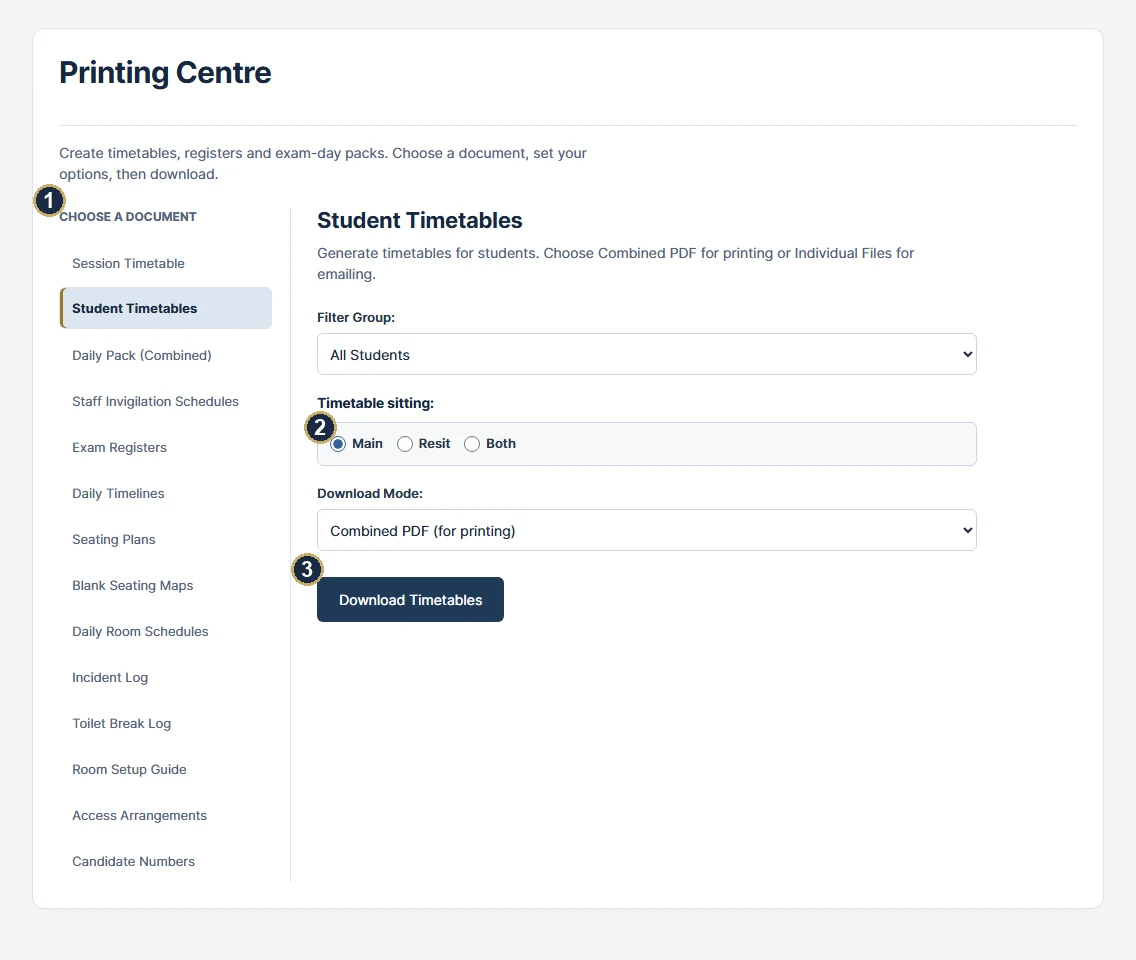
Start small. Ask when you need to.
Try one room and a few fictional candidates first. For an unresolved issue, include the page, the steps you took and what you expected. Review screenshots before sharing student information.
Contact support
Screenshots and examples use a purpose-built fictional school profile. These guides describe the current software; schools should also follow the instructions for their exam boards and series. Some tools require full access.